
Remote Control Storage Ideas That End the Lost-Remote Hunt
Remote control storage ideas solve one of the smallest and most annoying problems in any living room: the remote is never where you left it. It slides between the sofa cushions, hides under a magazine, or ends up in the kitchen for reasons nobody can explain. You sit down to watch something, pat the cushions, lift the throw blanket, and five minutes later you are still hunting. Most homes have three or four remotes now — television, soundbar, streaming stick, fan or lights — and each one needs a home of its own.
The answer is simpler than it looks. Pick one spot within arm’s reach of your usual seat, give every remote a place in it, and make putting the remote back part of sitting down. These remote control storage ideas work for renters and homeowners alike, cost very little, and take an afternoon at most to set up. Once the system is in place, the lost-remote hunt stops for good.
Count Your Remotes Before You Buy Anything
Start by gathering every remote in the house. Check the sofa cushions, the coffee table, the bedroom nightstand, and that one kitchen drawer where stray things collect. Most families find a remote they forgot they owned — the old DVD player remote, the fan remote, a spare streaming remote from a replaced device.
Lay them all out and sort them into three groups: the ones you use every day, the ones you use once a week or less, and the ones for devices you no longer own. The daily group is small — usually the television, soundbar, and streaming remote. The weekly group might hold the fan remote, the lights remote, or the game console controller. The dead remotes can go. Keeping them only takes up space in the holder and confuses everyone about which remote does what.
Count the daily group. Two or three remotes fit in a small tray or a single-slot holder. Five or more need a holder with separate slots or a caddy with deep pockets. Knowing your number first stops you from buying a box that is too small, which is how remote control storage ideas fail before they even start. Measure the thickest remote too — some soundbar remotes are twice as wide as a streaming stick remote, and a slot that fits one may not fit the other.
A Tray on the Coffee Table
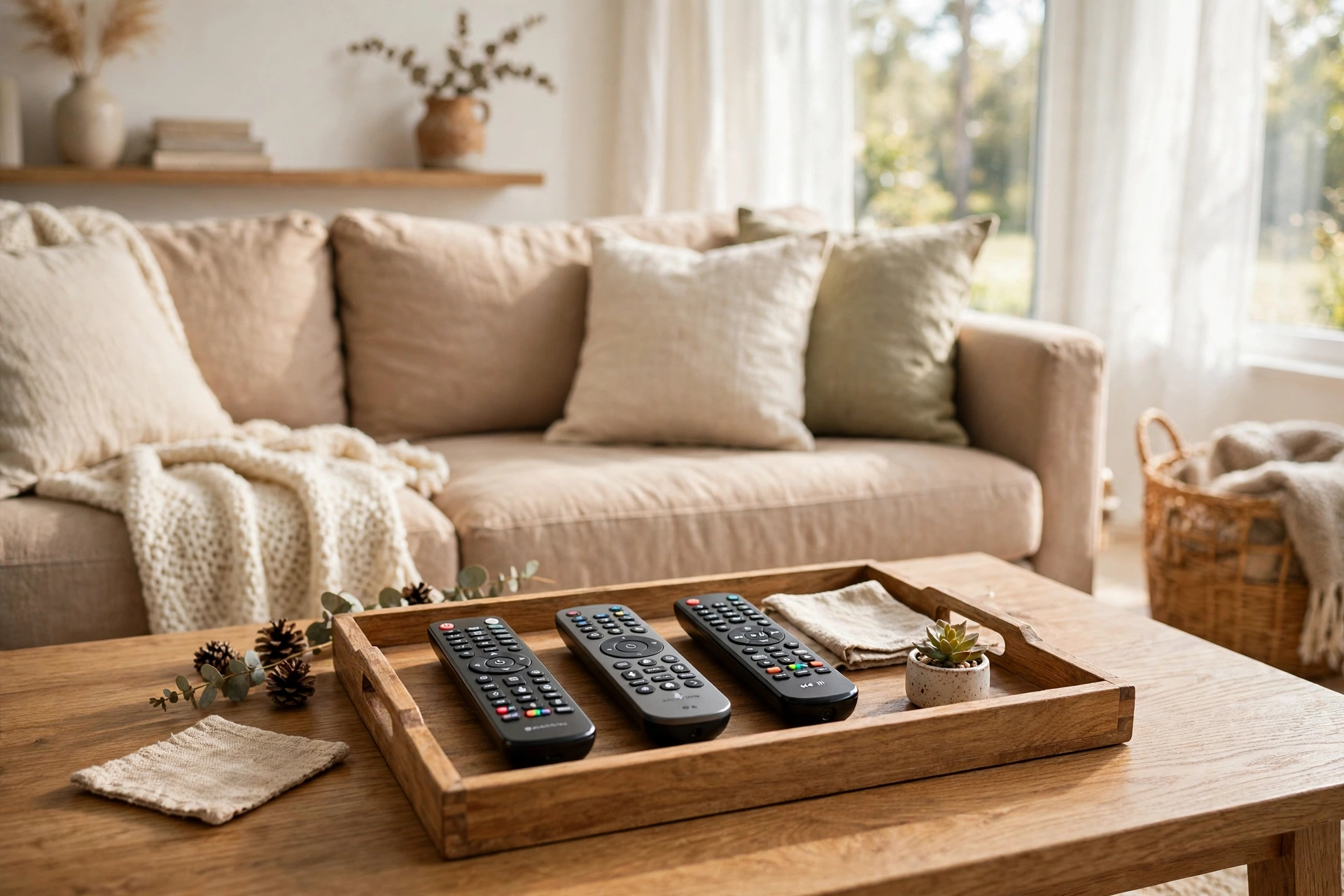
A small tray is the easiest place to start. It gives the remotes a clear, visible home right where you sit, and it costs almost nothing. Set the tray on the coffee table within easy reach of your usual seat, and put the daily remotes in it every single time you sit down.
Choose a tray that is only as big as your remotes need. A tray that is too large becomes a catch-all for mail, keys, and snack wrappers, and the remotes get buried again. A remote control tray just wide enough for three or four remotes lying side by side keeps things tidy on its own. Coffee table remote storage works best when the tray has one job and one job only, so resist the urge to park anything else in it. Wood, leather, or woven trays all work — pick one that matches the room so it looks like it belongs there, not like a gadget graveyard.
Keep the tray clear of drinks. A remote that sits next to a coffee mug all evening will get splashed sooner or later, so give the tray its own corner of the table. A small lip around the edge stops remotes from sliding off when someone bumps the table. Of all the remote control storage ideas in this guide, a tray is the fastest to set up — you can do it in five minutes with a tray you already own.

A Remote Control Holder With Slots
A remote control holder is a small box or stand with a separate slot for each remote, and it is the best choice when you have several remotes that look alike. A TV remote organizer of this kind keeps each remote standing upright in its own slot, so you can see at a glance which one you need and grab it without digging. No more picking up the soundbar remote when you wanted the television one.
Look for a holder with slots wide enough for your thickest remote and deep enough that the remotes do not tip over. Five-slot holders suit most living rooms — three remotes for the television, soundbar, and streaming device, plus two spare slots for reading glasses, a phone, or a pen. Some holders spin on a base, so you can reach any slot from the sofa without leaning across the table. Others have movable dividers, which help when your remotes are very different sizes.
Put the holder on the coffee table or the side table next to your seat, not on the media console across the room. A holder only works if putting the remote back takes less effort than dropping it on the sofa. If the holder sits beside you, the habit forms in a week. If it sits across the room, the remotes will still end up in the cushions.
A Sofa Arm Caddy for Remotes Within Reach
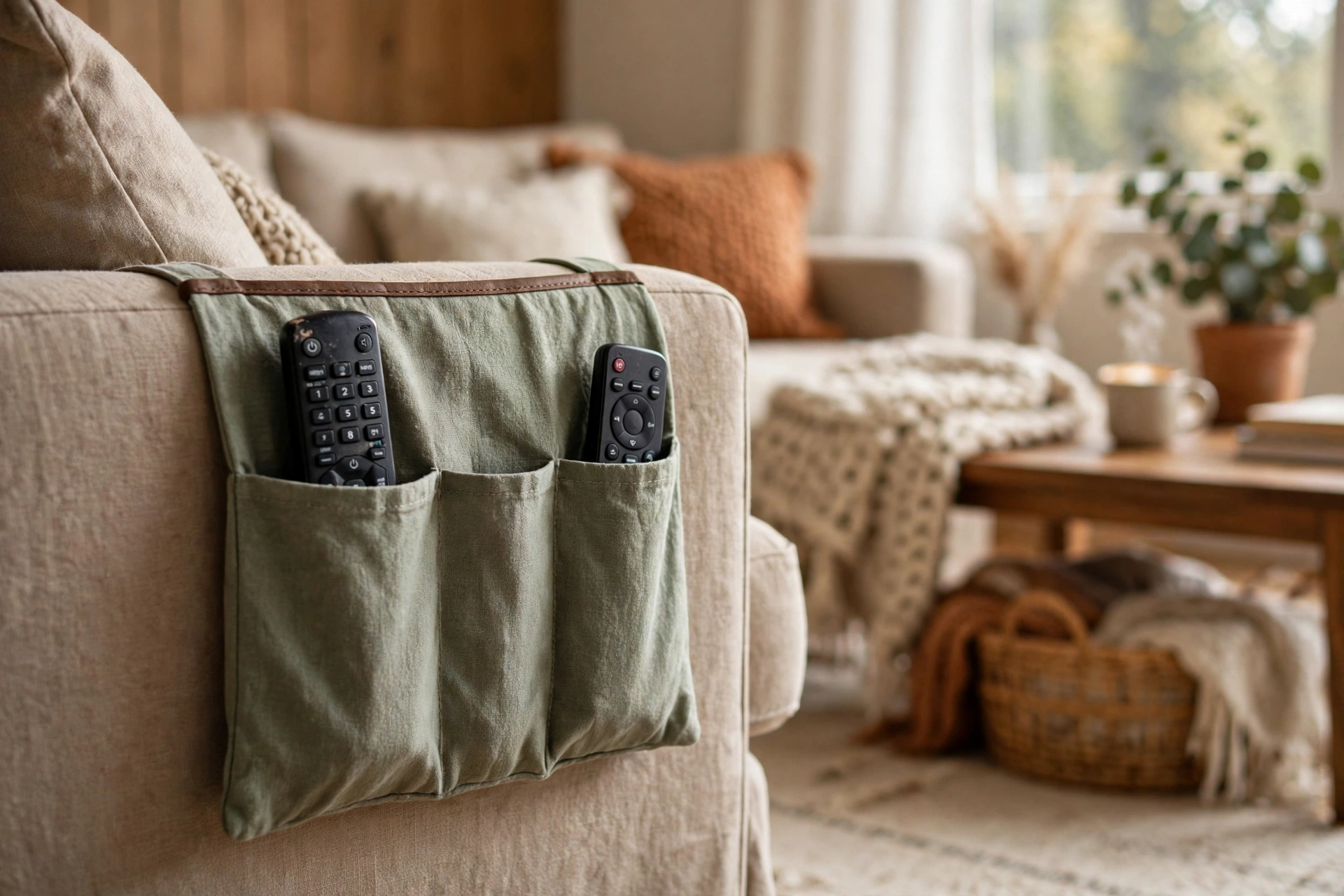
A sofa arm caddy is a set of pockets that drapes over the arm of your sofa or chair, and it is the closest thing to keeping the remote in your hand. A sofa arm remote holder like this keeps the remote right beside you, so you can slip the remote in without sitting up or reaching for a table. It works best when there is no coffee table within easy reach, or when the table is always covered with books and mugs.
Pick a caddy with pockets deep enough that the remotes do not slide out when someone sits down hard. A pocket that holds the remote up to its middle is about right. Fabric caddies are soft and quiet; leather ones look smarter and wipe clean. Some caddies have a pocket for a phone and a slot for a magazine too, which turns the sofa arm into a small command center.
Check the fit before you commit. A caddy made for a slim chair arm will slide off a wide, padded sofa arm, and one made for a thick arm will bunch up on a narrow one. Some caddies tuck under the seat cushion to stay put, which also keeps them from slipping when you stand up. Renters love this option because it needs no holes, no screws, and no furniture changes — it just hangs on the arm.
Give Remotes a Drawer or a Media Console Zone
If you would rather not see the remotes at all, a drawer is the answer. A coffee table drawer, a media console drawer, or a side table drawer keeps every remote out of sight but still close. Add a small divider or a narrow tray inside the drawer so the remotes lie in a row instead of sliding into a pile every time the drawer opens.
A media console zone works the same way without a drawer. Pick one shelf or one corner of the console top and call it the remote spot. A small basket or a low box on that shelf holds the remotes, and the rule is simple: remotes live there, nowhere else. This is one of the remote control storage ideas that works best for people who like a clean, uncluttered living room, because the remotes vanish when the television is off.
Keep the daily remotes in the drawer and the rarely used ones elsewhere. The fan remote you touch twice a month does not need prime space in the coffee table drawer — it can live in the media console, labeled so guests can find it. Our rental friendly organization ideas guide has more ways to carve out storage in a small living room without drilling a single hole.
A Wall-Mounted Holder by the Television
A wall-mounted remote holder puts the remotes on the wall beside the television, where everyone can see them and nobody can lose them. It is a small rack or a set of hooks with a slot for each remote, and it works well in homes where the sofa sits far from the coffee table or where the table is always full.
Renters can use the same idea without drilling. Adhesive hooks and strips hold a lightweight holder on the wall and come off clean when you move out. A small adhesive pouch stuck to the side of the media console holds one remote; a slim wall rack holds three or four. Stick the holder at a height you can reach from your seat, not up by the television where you have to stand to grab a remote.
The one drawback is the walk. If the holder is by the television and your seat is across the room, you have to get up every time you want the remote, which means the remote will end up on the sofa anyway. A wall holder works best in small rooms where the television is close, or as a home for the remotes you use least. Pair it with a tray by the sofa for the daily remotes, and you get the best of both.
A Lidded Box or Basket for a Tidy Look
When the remotes clash with the look of the room, a lidded box solves it. A remote control box on the coffee table or the media console hides the remotes completely, and the room looks tidy even with four remotes inside. Choose a box just big enough for the daily remotes — a box that is too large becomes a junk drawer with a lid.
A woven basket works the same way on a shelf. A small remote control basket on the media console shelf or the bottom shelf of the coffee table keeps the remotes together and out of sight, and it looks like decor instead of electronics storage. Put a label on the basket if guests often stay over, so they know where the remotes live.
Do not pick a box with a lid that needs clearing first. If the box sits under a stack of magazines, nobody will lift the magazines to put the remote away. Keep the lid clear and the box easy to open with one hand. A box that is hard to open is a box that gets ignored, and the remotes end up back in the cushions.
Bedroom Remotes and the Spare Remote Problem
Most homes have a second television in the bedroom, and its remote needs a home too. A small remote control pouch that hangs on the bedside table or slips between the mattress and the headboard keeps the bedroom remote where you can find it in the dark. A nightstand drawer with a tiny tray does the same job and keeps the remote off the nightstand surface.
Spare remotes deserve their own spot as well. The universal remote you programmed as a backup, the old streaming remote you keep just in case — store them in a labeled pouch in the media console, away from the daily remotes. For universal remote storage, the rule is simple: originals and backups live in the pouch, daily remotes live in the holder, and the two never mix. If a spare sits in the same holder as the daily remotes, someone will grab it by mistake and wonder why nothing works. Our blanket storage ideas post covers the same living room, and a tidy blanket basket next to the sofa pairs well with a remote tray on the table.
One more trick: if two remotes look nearly identical, mark them. A small dot of colored tape on the back of each remote — red for the television, blue for the soundbar — ends the mix-ups for guests and kids. It takes thirty seconds and saves a lot of button-pressing confusion.
| Storage option | Best for | Watch out for |
|---|---|---|
| Coffee table tray | 2–4 daily remotes, easy reach | Keep drinks off the tray |
| Slotted holder | 4–6 remotes that look alike | Measure your thickest remote first |
| Sofa arm caddy | No table within reach | Check the arm fit so it does not slip |
| Drawer or console zone | A clean, uncluttered look | Add dividers so remotes do not pile up |
| Wall-mounted holder | Small rooms, rarely used remotes | Do not put it too far from your seat |
| Lidded box or basket | Hiding remotes completely | Keep the lid clear and easy to open |
A quick weekly check keeps the whole system working. Remote control storage ideas only work if the remotes actually go back to their homes, so run through this short list once a week:
- Walk the house and return every stray remote to its home.
- Check the batteries in the remotes you use most — weak batteries cause most “broken remote” complaints.
- Wipe the remotes with a dry cloth; sticky buttons come from kitchen hands and snack crumbs.
- Move any remote you have not touched in a month to the spare pouch.
- Check that the holder, tray, or caddy is still in its spot and has not drifted.
Our weekly cleaning schedule has a place for small jobs like this, and five minutes once a week is all it takes to keep the living room remote-free of clutter.
FAQ
What are the best remote control storage ideas for a small living room?
The best remote control storage ideas for a small living room use the space you already sit in. A slim tray on the coffee table holds two or three daily remotes, a sofa arm caddy keeps them right beside you when there is no table within reach, and a wall-mounted holder by the television works when floor space is tight. Renters can use adhesive hooks and a caddy with no holes in the wall.
How many remotes should one holder hold?
Count the remotes you use every day, then add one spare slot. Most homes need three to five slots — television, soundbar, and streaming remote, plus a spare for glasses or a phone. A five-slot holder suits most living rooms. If you have more than six daily remotes, consider a universal remote to cut the count down before you buy a bigger holder.
How do I stop remotes from disappearing into the sofa?
Give every remote a home within arm’s reach of your seat and make putting it back part of sitting down. A tray, a slotted holder, or a sofa arm caddy all work, but only if the home is closer than the sofa cushion. The remote ends up in the cushions because dropping it there is easier than putting it away — so make putting it away the easier move.
Is a universal remote worth it for storage?
Yes, if you have four or more remotes you use regularly. One universal remote replaces the television, soundbar, and streaming remotes with a single device, which means one slot instead of three. Keep the original remotes in a labeled pouch in the media console as backups, and the daily holder stays simple. Home Storage Solutions 101’s remote control organizer guide covers the same idea — cut the count first, then organize what is left.
One Home for Every Remote
Remote control storage ideas come down to one habit: every remote gets a home, and every remote goes back to it. A tray for the daily remotes, a holder with slots when they start to look alike, a caddy when the sofa is the only seat that matters, and a labeled pouch for the spares. Set it up once, and the lost-remote hunt ends. Your evenings get a little calmer, the sofa cushions stay in place, and the remote is right where you left it — because now it has somewhere to be left.